
Home/Blacklock PTaaS
The service · Powered by BlacklockBlacklock PTaaS: continuous testing, certified testers, one platform
Turn the once-a-year penetration test into continuous assurance. Scanning runs all year, certified testers go deep on demand, and every finding flows to developers, gets fixed and is retested in one dashboard. OptimaTech scopes, onboards and supports you locally.


Last reviewed 31 October 2026 by OptimaTech Limited.
One dashboard, from first scan to closed finding
This is what your team works with every day. The screenshots below are from the Blacklock platform and show demo data.4
Continuous security assurance and monitoring
Scheduled and on-demand scans keep watching your internet-facing systems between manual tests, and the scan summary shows how open issues trend over time.4
- Subdomains, SSL/TLS, open services and CMS attacks
- Alerts when something new appears
- Aligned with OWASP, NIST and ASD Essential Eight (Blacklock-stated)

Vulnerability orchestration in one dashboard
Every finding from scanning and manual testing lands in one list with its risk rating and status, so nothing is lost in a PDF or a spreadsheet.4
- Risk rating from critical to informational
- Status: open, ready for retest, accepted risk or closed
- View detail or create a Jira ticket in one click

Vulnerability kill chain analysis
Findings are mapped to the stages of an attack, from reconnaissance to actions on objectives, so you can see which weaknesses an attacker could chain together and fix the ones that break the path first.4 It is the same idea as the chained weaknesses explained in our guide.
- Each finding placed on the kill chain
- CWE reference, priority and estimated fix effort
- A remediation planner to order the work
Remediation assistance for your stack
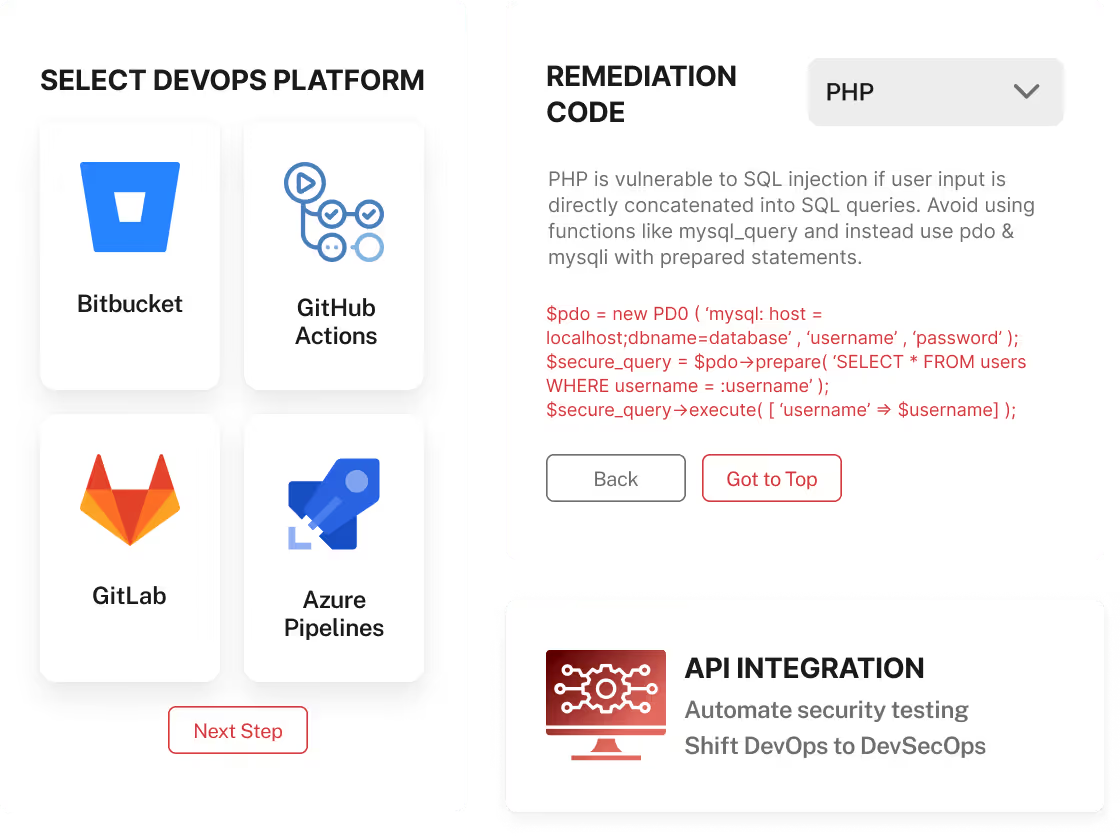
Each finding comes with guidance and example code for the language your team uses, plus a link to developer learning, so the fix does not depend on one security specialist.4
- Example fixes for languages such as Python and PHP
- Plain-language description and overall risk
- Developer learning linked from the finding

From DevOps to DevSecOps
Connect your pipeline so testing runs as part of delivery, and send findings straight into the tools developers already use.4
- GitHub Actions, GitLab, Bitbucket and Azure Pipelines
- API integration to automate security testing
- One-click tickets in Jira
SBOM generation and management
See every open-source package inside your software, check it against public vulnerability data and get the version to upgrade to.4
- Scan repositories or upload an existing SBOM
- Package update detail with current and new versions
- Export SPDX, CycloneDX or PDF

Evidence that stays compliant
Every scan and test is recorded with its date, type and a downloadable report, which is the trail auditors, customers and insurers ask for.4
- Testing follows PTES, OSSTMM and OWASP
- Supports PCI DSS, ISO 27001, SOC 2, HIPAA and GDPR evidence (Blacklock-stated)
- Report downloads for every completed scan

Eight services across your attack surface
From internet-facing apps to the open-source code inside your software.4

Web application testing
Customer portals, booking systems and e-commerce sites. A browser plugin captures login sessions, so authenticated areas are tested too.

Infrastructure testing
Internet-facing services, VPNs and internal networks: open services, weak SSL/TLS, exposed admin panels and missing patches.

Cloud testing
Configuration and exposure checks, so a single misconfiguration does not become a public data leak.

Mobile app testing
The app and the APIs behind it, where customer data actually moves.

AI application testing
Applications built on large language models, where risks such as prompt injection sit alongside traditional web flaws.

Continuous vulnerability assessment
Scheduled and on-demand scans for subdomains, breached email credentials, SSL issues, open services and CMS attacks.4

Static code scanning (SAST)
Finds flaws in source code before release, connected to GitHub, GitLab, Bitbucket and Azure DevOps.

SBOM scanning
Lists the open-source components in your software, checks them against public vulnerability databases and exports SPDX, CycloneDX or PDF.

From scoping to retest
Scope with OptimaTech
We agree what to test (websites, APIs, networks, cloud, mobile, code), how often, and what “critical” means for your business.
Continuous automated scanning
The platform runs open-source and commercial tools and alerts you when something new appears.4
Manual penetration testing
Certified testers follow a structured checklist based on OWASP, PTES and OSSTMM to find logic flaws and chained attacks that tools miss.4
Reports and certificate
Results appear in the dashboard as testing progresses, followed by the formal reports and certificate.
Fix in your developers’ tools
One click turns a finding into a ticket, with remediation guidance for your technology stack.
Retest and repeat
Request a retest once a fix is deployed. Scanning continues, so new issues are caught between manual tests.
Who tests: Blacklock lists tester certifications including CREST CRT and CPSA, CISSP, OSCP, OSCE and CEH.4

Evidence for every audience
Manual tests produce three reports and a penetration test certificate.4

Executive report
For the board and management: business risk, priorities and progress.
Developer report
For engineers: technical detail and how to fix each finding.

Full penetration test report
The complete record of scope, method and findings for auditors.

Test certificate
A shareable certificate for customers, insurers and tenders.
Findings your auditors can follow
Each finding has an ID, a criticality rating and its current status, so anyone can see what was found, how serious it is and whether it has been fixed and retested.4
- Criticality from low to high, colour coded
- Status as at a stated date: open or closed
- Developer and full reports carry the technical detail


Findings go where your team already works
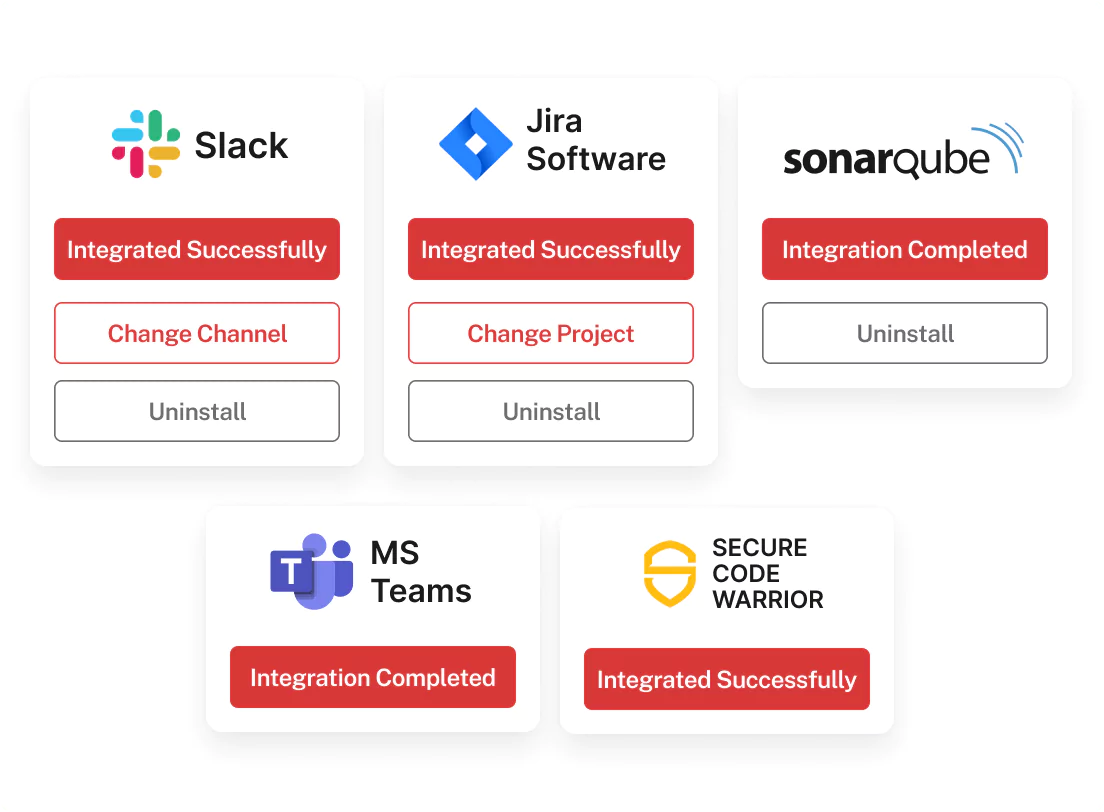
A finding in a PDF rarely gets fixed. Blacklock sends findings into the tools your developers use, alerts the right channel and connects to your identity provider for single sign-on.4
Integrations as published by Blacklock and OptimaTech. Logos belong to their owners.

Alerting
Notifications in Microsoft Teams and Slack when scans find something new.
Issue tracking
Findings become tickets in Jira, with Vanta and Zapier for compliance and automation.

Code repos and SBOM
GitHub, GitLab, Bitbucket and Azure DevOps for static code and SBOM scanning.

Developer learning
Secure Code Warrior training linked to the type of flaw found.

Dark web monitoring
Checks for breached email credentials linked to your organisation.

Single sign-on
Microsoft Entra ID, Okta, JumpCloud and Salesforce sign-in.
What happens to a finding
Every finding follows the same path until it is closed. Because the retest happens on the platform, the record of what was found, fixed and verified builds up automatically, which is exactly what auditors and customers ask to see.

Start with what you need, add the rest later
Blacklock is organised into four modules.4 We help you choose the mix and send a quote in NZ or HK dollars.
Vulnerability Scanning
Continuous and on-demand external scanning with alerts.
Penetration Testing
Manual testing by certified testers, automated retests and a certificate.
Static Code Scanning
SAST for source code, with deployment gates.
SBOM
Generation and management of your software bill of materials.
Global-standard testing, local accountability
Local scoping
Teams in Auckland and Hong Kong agree scope, frequency and priorities with you, in your time zone.

Remediation support
We help turn findings into a practical plan your team can deliver, and track retests.

Joined-up compliance
Testing fits with OptimaTech’s ISO/IEC 27001 and 42001 advisory and data security portfolio.
Four steps to your first test
Scoping call
Tell us what you run, who asks for evidence and when you need it.
Proposal
We recommend the modules and testing frequency, with a quote in NZD or HKD.
Onboarding
We set up the platform, users, integrations and the first scans.
First test
Certified testers run the manual test and you receive the reports and certificate.
Prefer to look first? Blacklock offers a 14-day free trial of the platform.2
Blacklock PTaaS FAQ
Can Blacklock test the logged-in parts of our application?
Yes. A browser plugin captures login sessions so that authenticated areas of a web application are included in testing.4
Which methodologies do Blacklock testers follow?
Manual testing follows a structured checklist based on OWASP, PTES and OSSTMM.4
Does Blacklock integrate with Jira and Azure DevOps?
Yes. Findings can be sent to Jira, Azure DevOps, GitHub, GitLab and Bitbucket, and the platform supports single sign-on through Microsoft Entra ID, Okta or SAML.4
What is an SBOM and why would we need one?
A software bill of materials lists the open-source components inside your software. Blacklock checks them against public vulnerability databases and exports SPDX, CycloneDX or PDF, which helps answer supply-chain questions from customers.4
Is there a free trial?
Blacklock offers a 14-day free trial of the platform.2 OptimaTech can help you set it up and scope a manual test.
Ready to scope your first test?
Tell us what you need to test. We will recommend the right mix of continuous scanning and CREST-accredited manual testing.
Sources
- Blacklock, Blacklock Security achieves CREST accreditation, 9 May 2025.
- Blacklock, About us (viewed October 2026).
- New Zealand Government Procurement, Marketplace approved suppliers.
- Blacklock, On-demand manual penetration testing and services and plans; OptimaTech, Blacklock product page.
Figures are quoted from the named source and year. General information, not legal advice.